
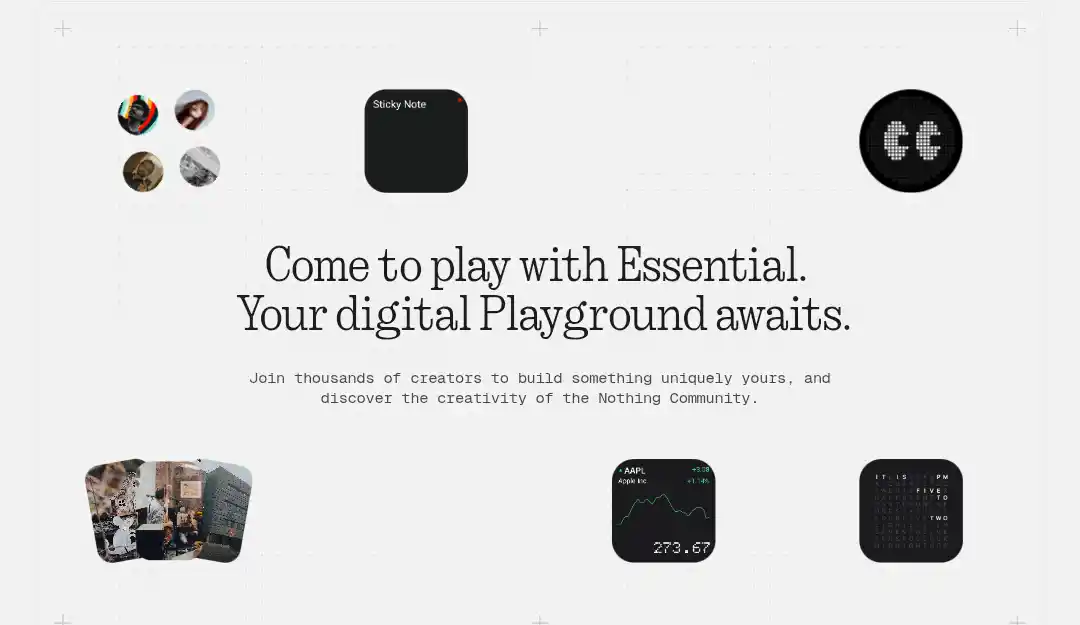

Nothing dropped a genuinely fresh idea on February 10, 2026. The Nothing Essential Apps Beta kicked off, giving Nothing Phone (3) owners the power to create their own mini-apps and widgets using nothing but text prompts. No need to code—just tell the AI what you want in everyday language, and it builds something custom for your home screen. Carl Pei dubs this “vibe coding,” and it really does feel like a direct shot at the tired, one-size-fits-all app store model we’ve been stuck with for years.
The Playground Experience
Everything happens inside Nothing Playground at playground.nothing.tech. Sign in with your Nothing account, head to the builder, type your idea, and watch the AI generate an interactive widget. The community side is already buzzing—thousands of people have joined in the first day alone. Popular creations right now include:
- Big Eyes: A quirky, staring animated widget with over 4.3K views.
- TicTap Play: A fun, casual tic-tac-toe style game.
- F1 Schedule: Real-time race updates for motorsport fans.
- H₂O Intake: A straightforward water tracking reminder.
Folks are sharing, remixing, and downloading at a high clip. It’s collaborative and surprisingly addictive to browse.
Compatibility and Roadmap
But here’s the annoying part: you need a Nothing Phone (3). The company claims only their newest flagship can handle running several Essential Apps at once without lag. Fair enough—they probably want to fix the obvious bugs first before rolling it out widely. Got an older Nothing phone or one of those CMF devices? You’re stuck waiting. Nothing OS 4.0 users will eventually get access as the beta gets more stable, but there’s no firm date. The full launch is supposedly happening sometime in 2026, after they work out the permission glitches and make sure it doesn’t crash on different hardware.
Current Capabilities and Limits
Right now, what you can build stays pretty basic. Permissions are restricted to location, read-only calendar access, and contacts. That means practical but simple stuff: a quick meeting brief pulling your next event, a workout timer, or a hydration prompt.
Nothing promises a big OS update in late February to open things up, adding:
- Future updates: Notifications, Bluetooth, and even camera/mic access.
- Activity recognition and usage stats.
- Sensor data access.
- A dedicated system Weather API.
How to Join the Nothing Essential Apps Beta
It’s dead simple to get started, though invites roll out in batches via waitlist.
- Go straight to playground.nothing.tech
- Log in with your Nothing account (create one if you don’t have it)
- Look for the Essential Apps section and join the waitlist or create button
- Wait for your invite—thousands are getting through daily already
- Once in, start prompting in the builder, tweak as needed, and install to your Nothing Phone (3) home screen
No complicated setup. Describe your idea, hit generate, iterate if the output’s off, and push it live.
This all feeds into Carl Pei’s bigger vision: an “AI-native” setup where your phone truly molds to your life. He talks about “one billion apps for one billion people”—personal tools built exactly for your routines, ditching bloated, ad-filled generic downloads. Nothing Playground acts as the open hub: browse community stuff, remix favorites, share yours, all without sneaky patterns. Smart edits mean you only change what you want, and one-click rollback fixes any mess-ups.
A Promising, If Rough, Start
Let’s keep it honest—beta means rough edges. Widgets max out at 2×2 or 4×2 sizes. Fancy logic sometimes falls flat. A lot of the early hits lean playful over powerhouse practical. The access gap is clear: limited permissions keep most creations as neat helpers, not deep app replacements.
Even so, the potential sparks real excitement. App stores shove everyone into the same boxes. This reverses it—your device starts working for you, not the other way around. Nail the upcoming expansions and broader device rollout, and Nothing OS 4.0 AI features like vibe coding could genuinely refresh the whole smartphone game.
If you’ve got a Nothing Phone (3), jump into Playground now and claim your spot. For the rest of us, watch closely. This could quietly shift what we call “essential” on our phones. What custom widget would you whip up first?

No comments yet. Be the first to share your thoughts!