
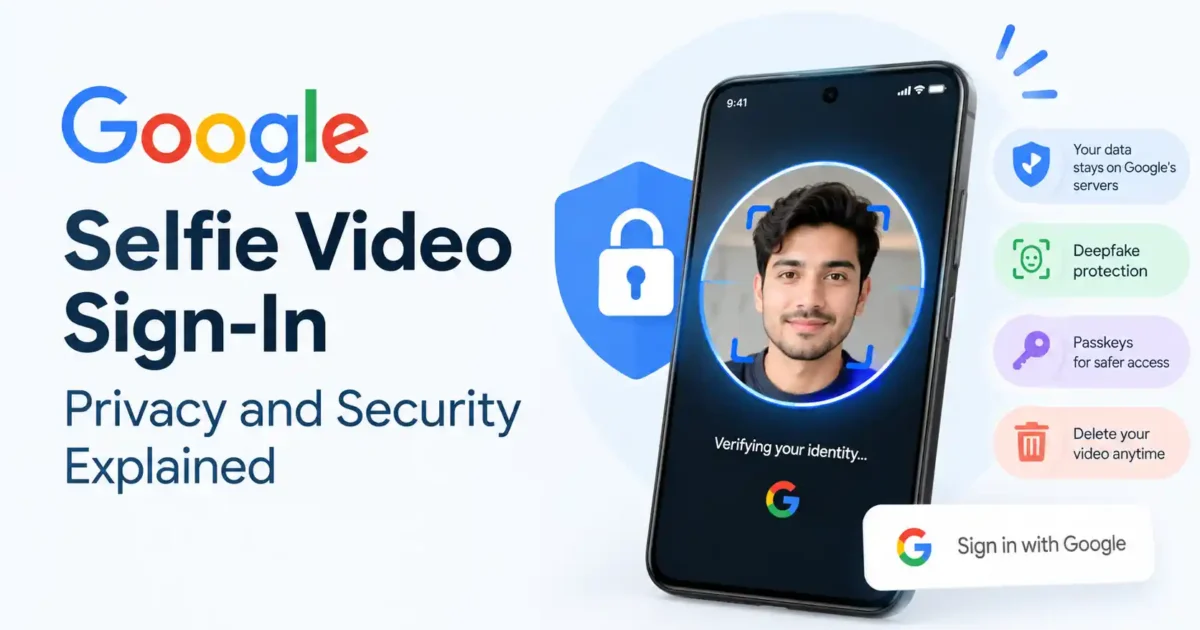

Google selfie video sign-in is a new account-recovery option for people who lose access to the device holding their passkeys. You record a short reference video while signed in, then Google can compare a later real-time selfie video with that reference when you need to sign in again.
The convenience comes with a detail users should not skip: Google says the enrolled reference video is encrypted and stored on its servers so it can work across devices. The live selfie recorded during a sign-in check is treated differently and is deleted after face matching. This is not the same as Face ID or Android face unlock, where the biometric data stays on the device.
What is Google selfie video sign-in?
Selfie video sign-in is an optional identity-verification method for a Google Account. It is designed mainly as a device-independent recovery path: if your passkeys are stored on a lost, damaged or unavailable phone, a verified selfie video can provide another way to prove that the account belongs to you.
It is not a replacement for standard daily sign-in credentials. Google still recommends passkeys as the primary everyday security option, alongside recovery contacts, recovery phone numbers, recovery email addresses, 2-Step Verification and Advanced Protection for people at higher risk.
How Google selfie video sign-in works
1. Enrol while your account is already trusted
Enrollment is voluntary. While signed in to your Google Account in a trusted session, you follow on-screen instructions and record a short reference video. Google checks the enrollment before accepting it, then encrypts and stores the reference video on its servers.
2. Record a new live video during recovery
When you later choose selfie video verification, you record another real-time selfie video. Google’s system compares it with the enrolled reference video for that specific account. It is a one-way check: Google says the system cannot search for accounts using a random person’s selfie video.
3. Google evaluates more than your face
Selfie matching is only one signal. Google says its sign-in risk engine also evaluates contextual signals and can request additional verification when a session looks unusual. Adding or deleting the saved video requires an already trusted session or re-authentication.
Where does Google store the selfie video?
The enrolled reference video is stored on Google’s servers in encrypted form. Google says it uses server-side processing because account recovery must work across devices. That is the central privacy trade-off: cross-device recovery requires giving up local-only biometric storage.
The temporary video recorded during a sign-in check is different. Google says it is processed transiently and permanently deleted immediately after face matching is complete. Before enrolling, decide whether device-independent recovery is worth storing a reference video with the provider.
How Google says it protects against deepfakes
A still image should not be enough to pass a modern account-recovery check. Google says selfie video sign-in combines several safeguards:
- Liveness checks: models look for subtle movement and visual cues that suggest the video is being recorded by a live person.
- Synthetic-media detection: Google says its systems detect and block AI-generated video.
- Device integrity signals: supported devices can provide hardware-backed signals that help confirm the video came from a physical camera.
- Risk assessment: unusual session behaviour can trigger extra verification.
- Security alerts: Google says users are notified when a selfie video is enrolled, used or removed.
Taken together, these controls mean Google is checking more than whether a face resembles the enrolled reference. It is checking whether the video appears live, whether it shows signs of synthetic generation, whether it came through a trusted physical camera and whether the sign-in context looks normal. These protections reduce the risk of simple spoofing, but no public authentication method should be treated as infallible. Google describes the system as a layered signal, not a single magic face check.
Is Google selfie video sign-in private?
Google says the feature is voluntary, purpose-limited and governed by its privacy controls. The reference video is encrypted at rest, used for sign-in verification and can be deleted by the user. Google also says the system cannot use one selfie to discover which Google Account belongs to a person.
But “private” does not mean “stored only on your device.” The enrolled reference video is processed and retained on Google’s server-side systems. That is the point users should weigh for themselves. A passkey is generally a stronger default for everyday sign-in because it is designed around a device-held credential; selfie video is useful as an additional recovery option when that device is unavailable.
Selfie video vs. passkeys
| Feature | Selfie video | Passkey |
|---|---|---|
| Main role | Device-independent recovery or sign-in option | Normal passwordless sign-in |
| Where the credential lives | Reference video is encrypted on Google’s servers | Credential is protected by a device or passkey provider |
| What you approve with | Live selfie video and risk checks | Device PIN, fingerprint, face unlock or security key |
| Best use | When you have lost access to a passkey device | Everyday account sign-in |
| Main trade-off | Convenient, but involves server-side biometric storage | More dependent on access to the device or provider holding the passkey |
Google’s own recommendation is sensible: use passkeys for regular sign-in, and keep more than one recovery method available. Our passkeys guide explains how the main providers handle them.
Can you delete your Google selfie video?
Yes. Google says you can opt out and delete the enrolled reference video without deleting your Google Account. If your appearance changes significantly, such as after a major haircut or growing a beard, Google may ask you to update the reference video. Deleting the saved video requires re-authentication.
The safest approach is to keep another recovery method working before removing selfie video. Confirm your passkey, recovery email, recovery phone or recovery contact first; otherwise you may be reducing your options rather than improving privacy.
Who should use selfie video sign-in?
It may help users who travel, frequently lose access to a primary phone, manage important accounts across several devices or want an additional recovery route after adopting passkeys. It may be less attractive to people who do not want a face video stored by a cloud provider.
High-risk users should think carefully before relying on it. Google recommends Advanced Protection for people facing targeted attacks and 2-Step Verification for general users. Add strong account protections rather than treating one recovery method as the whole security plan. Our advanced password security guide covers the wider baseline.
Limitations and privacy questions
- Availability can vary by account, age, region and rollout.
- Google’s liveness and synthetic-media defenses are company-described protections, not a guarantee against every future spoofing technique.
- The reference video is server-stored, even though it is encrypted and purpose-limited.
- A successful face match does not replace Google’s broader account-risk assessment.
- You still need a working recovery plan if the feature is unavailable or your enrollment fails.
For related privacy checks, see our guides to Gemini’s Android privacy settings, checking suspicious Android apps and reducing tracking on Facebook, Instagram and TikTok.
Frequently asked questions
Does Google store my selfie video?
Google says the enrolled reference video is encrypted and stored on its servers. The temporary video captured during a sign-in check is deleted after face matching.
Is selfie video safer than a password?
It avoids relying on a password alone and includes liveness and risk checks, but it is not a universal replacement for passkeys. The most important trade-off is that the reference video is stored server-side.
Can deepfakes bypass Google selfie sign-in?
Google says it uses liveness models, synthetic-media detection, device integrity signals and contextual risk assessment to resist spoofing. It does not claim that any security system is immune to every future attack.
Should I use selfie video or a passkey?
Use a passkey for normal sign-in and consider selfie video as an additional recovery option if you accept the server-storage trade-off. Keep at least one other recovery method active.
Final verdict: useful recovery option, meaningful privacy trade-off
Google’s selfie video sign-in solves a genuine friction point: while passkeys are much safer than passwords, losing the physical device holding them can create a difficult recovery situation. A device-independent recovery method can help users regain access without falling back to weaker password habits.
The decision is not risk-free. Your reference face video is encrypted and purpose-limited, but it is stored on Google’s servers. Use passkeys as your everyday sign-in method, keep multiple recovery options available and enroll in selfie video only if its convenience is worth that privacy trade-off for you. Read Google’s official explanation of selfie video sign-in before enabling it.

No comments yet. Be the first to share your thoughts!